Schedules, a time clock and tip pools — without the 1am payroll.
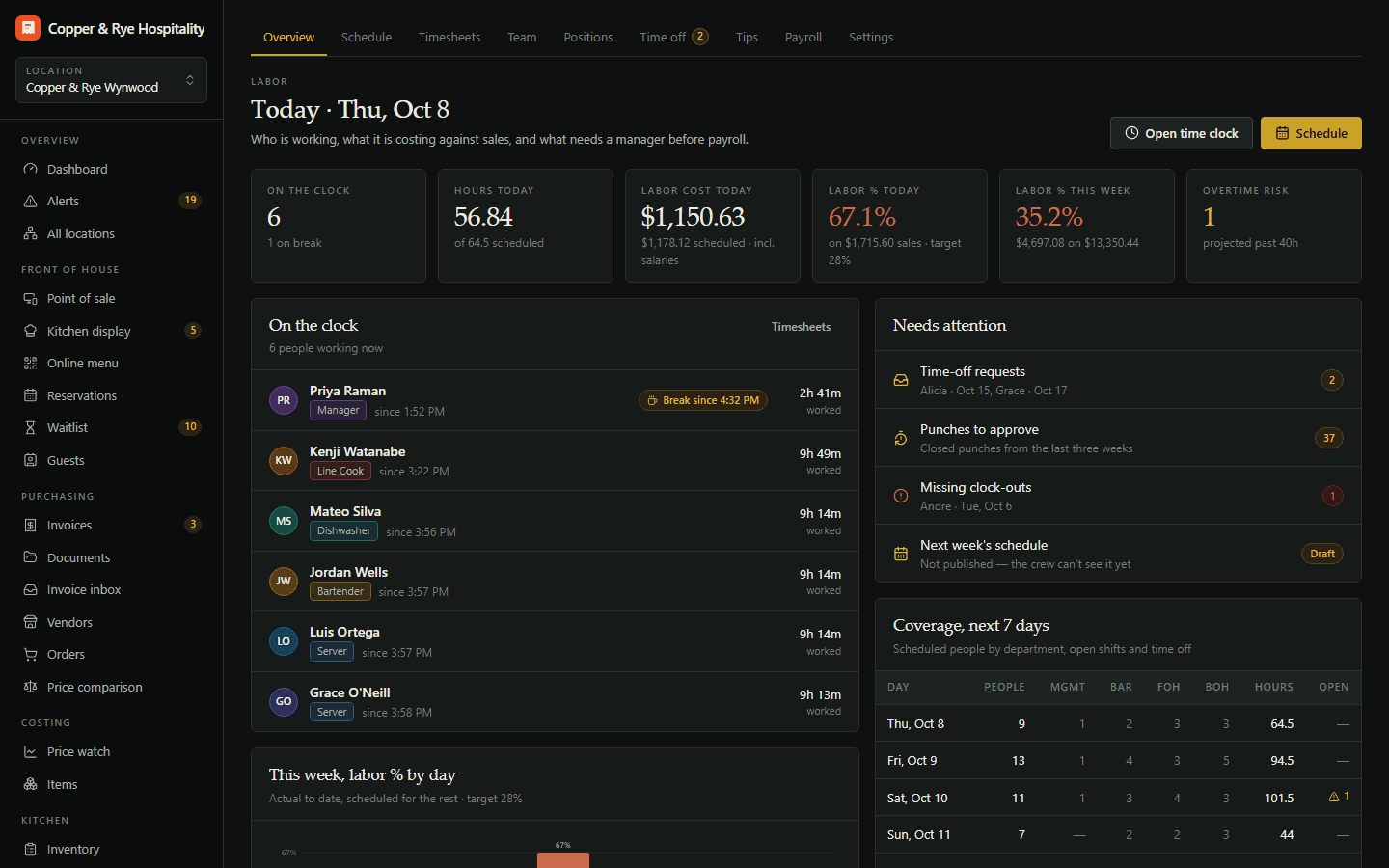
Build the week against a sales forecast and labor budget, let the crew clock in with a PIN, approve timesheets, pool tips and export payroll.
The schedule is a spreadsheet screenshot in a group chat, the time clock is an honour system, and the GM does tip-outs with a calculator at 1am.
The week is built against forecast sales with labor % live, the crew clocks in with a PIN, and tip pools calculate from the hours on the time clock. Payroll is an export, not a 1am job.
Schedules, a PIN time clock, timesheets and tip pools.
- Drag-free weekly schedule builder with labor % live
- PIN time-clock kiosk for any tablet
- Overtime warnings before they happen
- Tip pools by hours, points or both
- Payroll CSV export
Guides and free calculators
Labor % live as you build
Drop shifts into the week and watch labor cost against forecast sales update as you go — before you publish, not after payroll.
A PIN time clock on any tablet
Turn any tablet into a kiosk. Staff clock in and out with a PIN, take breaks, and see today's shift.
Overtime, before it happens
See who's heading into overtime while there's still time to swap a shift.
Tip pools by hours, points or both
Pool tips the way your house does it, with every share calculated and recorded — no more napkin math.
Payroll export
Timesheets export to CSV for your payroll provider, with regular and overtime hours split out and unapproved punches flagged.
Try Scheduling & labor free for 14 days.
Start a trial with Scheduling & labor on its own, or as part of any plan — and add or drop modules any month.