The base every account stands on.
A dashboard you arrange yourself, alerts that reach the right person, daily sales, users, roles and locations — included in every plan and impossible to switch off.
Today the owner has six logins, the GM has four, and nobody has the same numbers. Access is a shared password on a sticky note by the office printer.
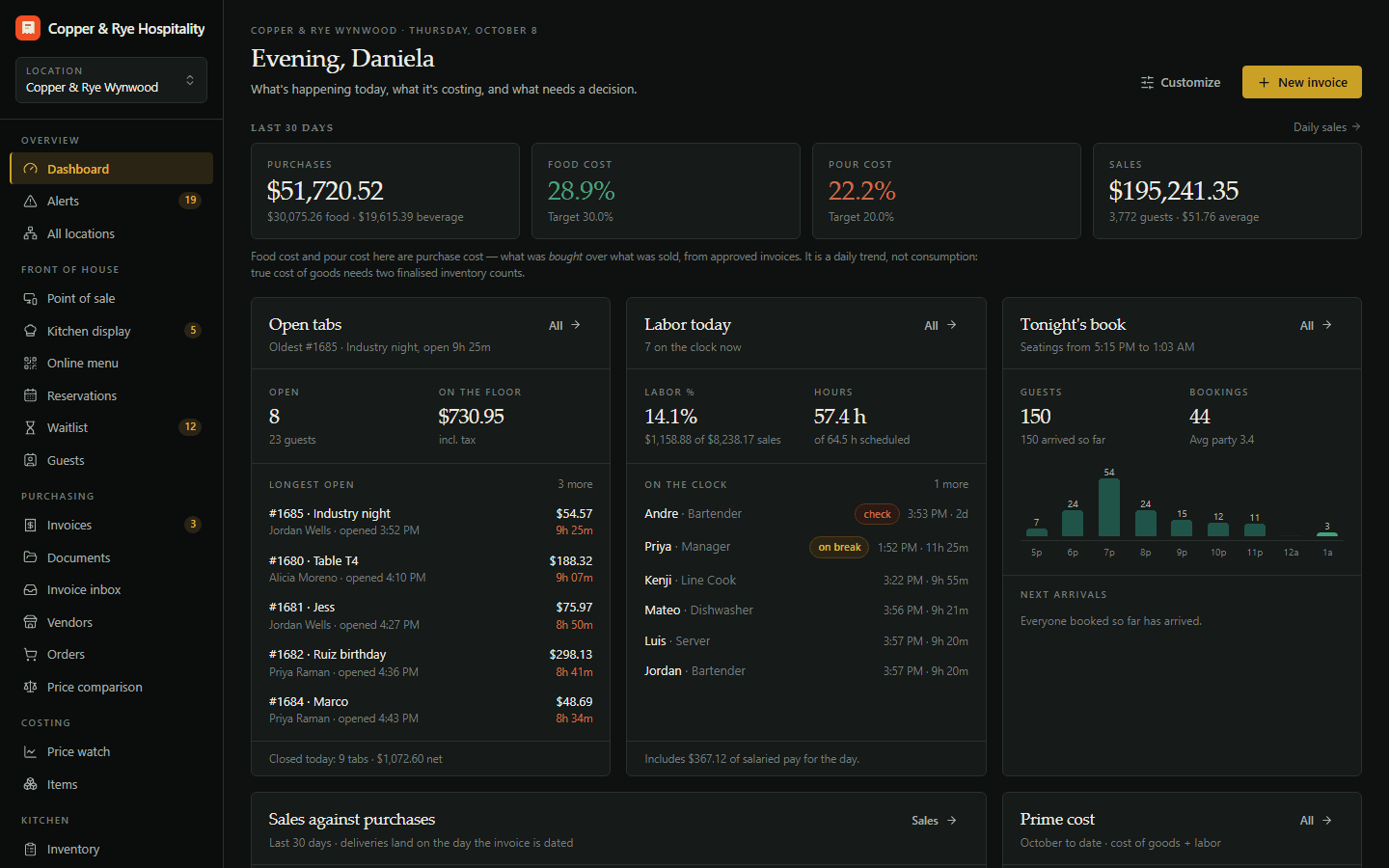
The operating base every account gets: a live dashboard, an alert centre, daily sales entry, users and roles, locations, notifications, activity history and full customisation.
Dashboard, alerts, team, locations, daily sales and settings.
- Live dashboard you arrange yourself
- Alerts that email the right person
- Unlimited custom roles and permissions
- Rename anything, hide anything, reorder the menu
A dashboard that starts with the money
Purchases, sales, food and pour cost, what moved price and what needs a decision — on one screen, the moment you sign in. Rearrange the tiles; hide the ones you never read.
Alerts with somewhere to go
A price jump past your threshold, an out-of-balance invoice, a licence about to lapse. Each alert is assigned, emailed to the people who care, and resolved with a note.
Roles you write yourself
Owner, GM, chef, bookkeeper, bar lead — or whatever your house calls them. Unlimited custom roles, each a list of permissions you tick, scoped to the locations each person works.
Rename it, reorder it, make it yours
Call covers “guests”, call a tab a “check”, put Recipes above Invoices in the menu, upload your logo and colours. The software bends to the house, not the other way round.
Start with the base. Add the rest when you need it.
Start a 14-day free trial of any plan. No credit card, no setup fee, and your data is yours from day one.